7. Privacy and SynthGen
Goal
Protect sensitive data with policy-driven transformations and create synthetic datasets for safe experimentation.
Privacy workflow
Open
Privacy.Create or select a privacy policy.
Attach policy to dataset/session.
Run detection and review discovered PII entities.
Configure transformation action per rule (mask/redact/hash/encrypt/generalize/suppress).
Execute transform and export protected dataset.
SynthGen workflow
Open
SynthGen.Select source dataset and generation profile.
Configure sample size and optional constraints.
Start generation job.
Download synthetic dataset artifact on completion.
Data quality and parity checks
Schema parity: - Column count and names are as expected.
Privacy parity: - Original sensitive values are not exposed in transformed output.
Utility parity: - Basic distribution trends remain usable for modeling intent.
Integrity: - Output file is readable and row count matches configured generation target.
Functional validation checklist
Privacy detection returns non-empty findings when PII exists.
Transform run produces downloadable artifact.
SynthGen run reaches terminal
completedstate.Generated dataset can be loaded into Datasets/Experiments modules.
Error states surface actionable diagnostics.
Expected result
Sensitive data is protected according to selected policy.
Synthetic data can be used for prototyping and tests.
Common errors and recovery
No PII findings when expected: - Verify selected policy/rules and source columns.
Transform failure: - Retry with narrower rule scope and inspect logs.
SynthGen timeout: - Reduce generation size and rerun.
Screenshots
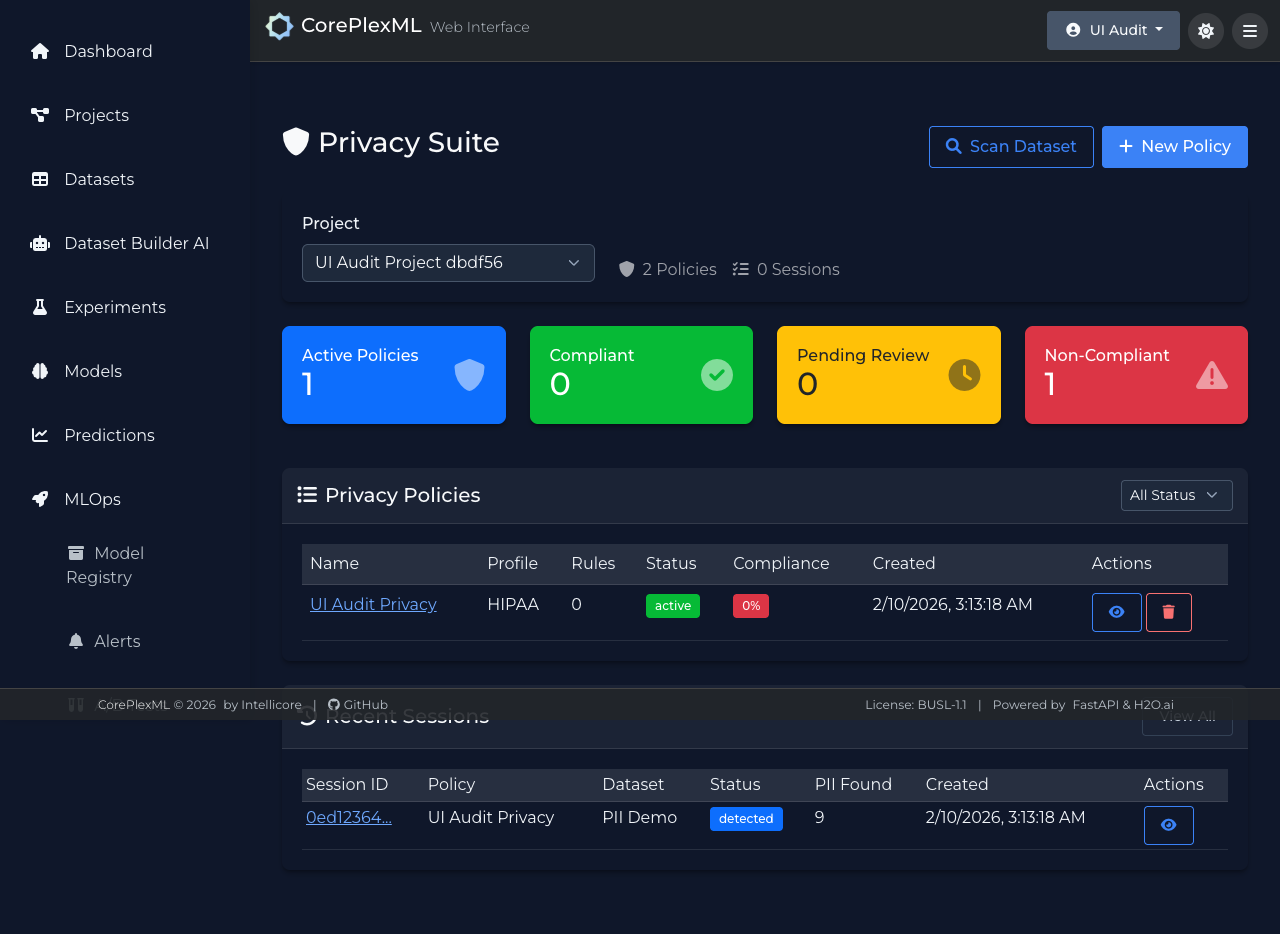
Privacy module with policy execution flow.
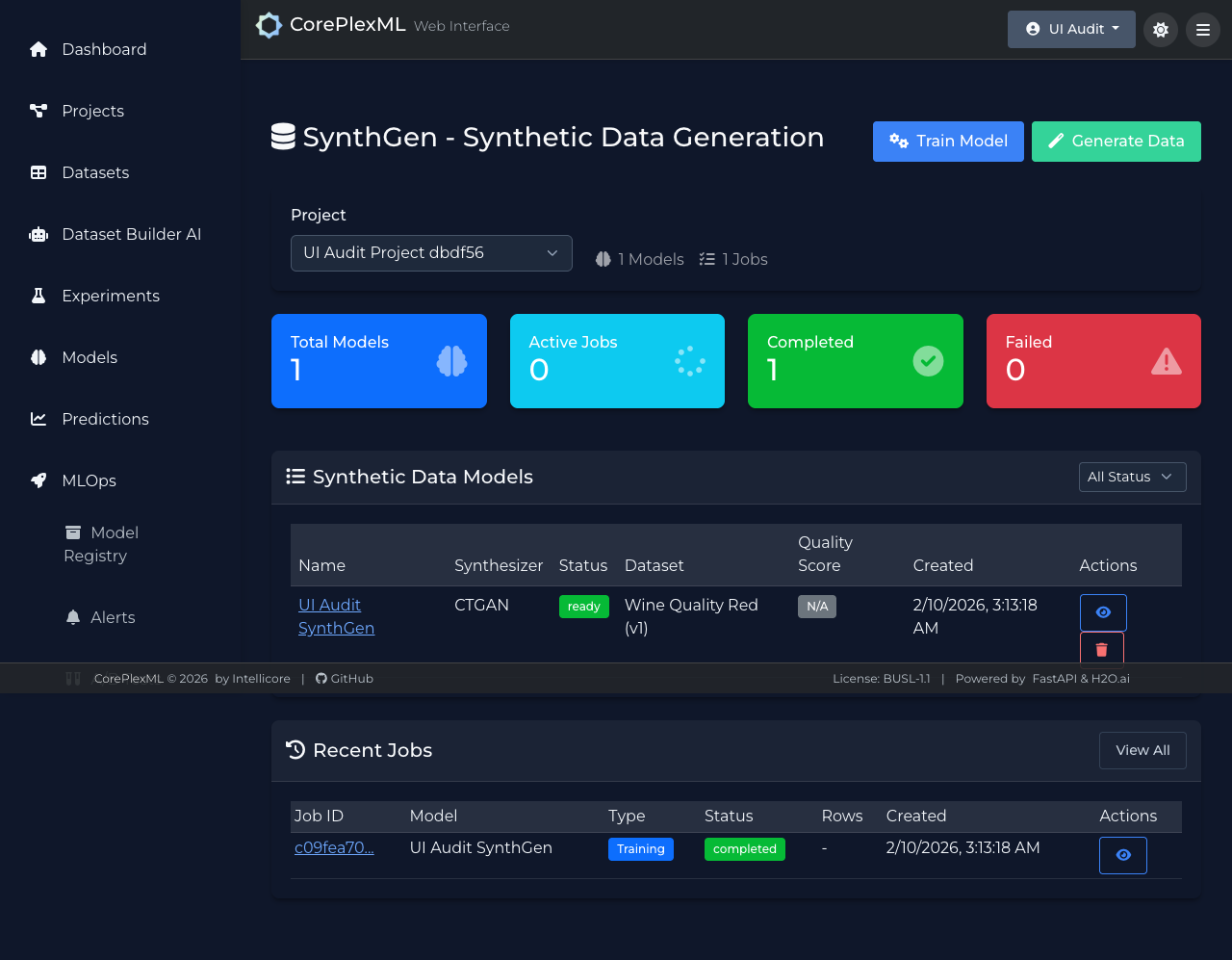
SynthGen training/generation and artifact output view.