1. Account Onboarding
Goal
Create a valid user account, complete first login, and confirm workspace access.
Who should read this
New users in Free, Pro, or Team plans.
Team members invited by an owner/admin.
Preconditions
Access to CorePlexML web URL.
Valid email inbox.
Browser with cookies and JavaScript enabled.
Step-by-step
Open
/register.Complete required fields: - Full name. - Work email. - Password (platform policy). - Terms acceptance.
Submit registration.
If email verification is enabled, open the verification email and confirm.
Open
/loginand authenticate.Complete first-session profile fields if prompted: - Display name. - Timezone. - Default workspace/project (if available).
Confirm dashboard loads without auth errors.
Functional validation checklist
User session is active after login.
User menu shows correct account email.
Dashboard widgets load with HTTP 200 responses.
Logout ends session and redirects to login page.
Re-login restores valid session and dashboard access.
Expected result
Authenticated user can navigate all modules allowed by role.
Session state is stable across page refresh.
Common errors and recovery
Email not verified: - Resend verification email. - Confirm verification link opens same environment domain.Invalid credentials: - Use/auth/forgot-password. - Retry with updated password.Immediate logout after login: - Clear browser cookies for domain. - Retry and verify system clock/timezone on client.
Screenshot
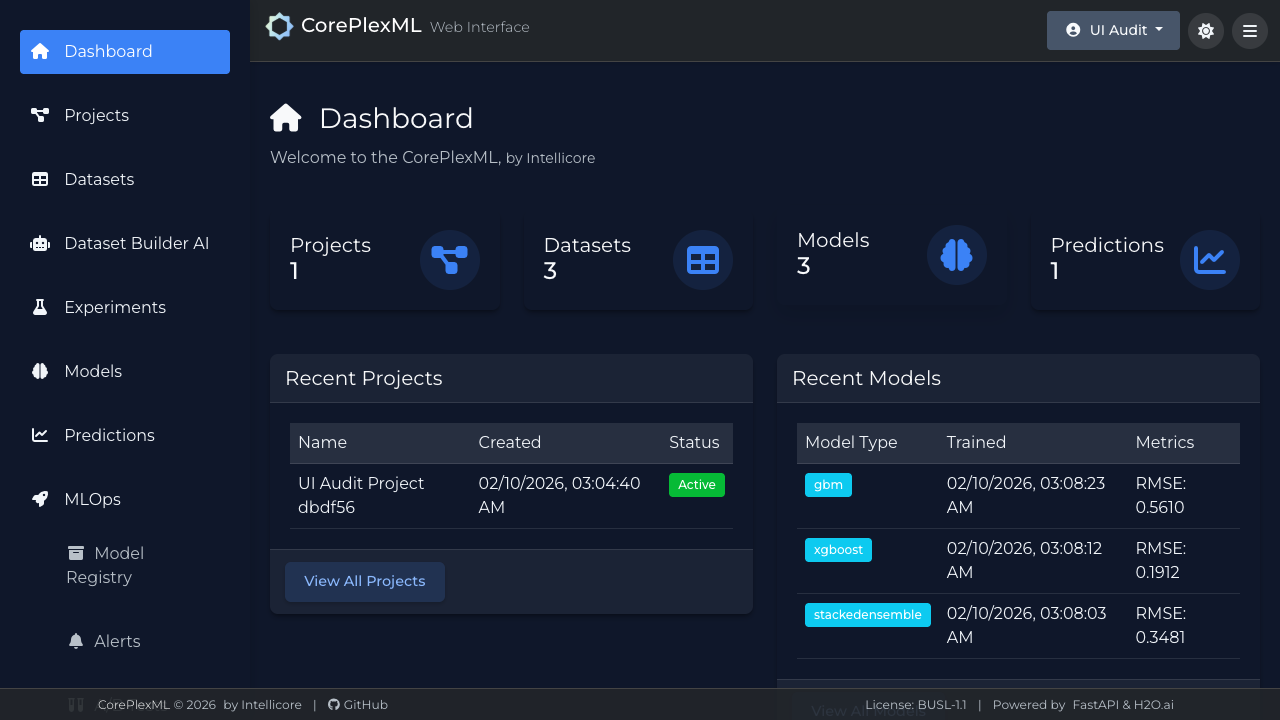
Dashboard visible after onboarding and first login.